Thanks, I did enable it for a short period and disabled. Do I have to leave it enabled for some lenght of time.Welcome to iPhoneForums, Contsi!
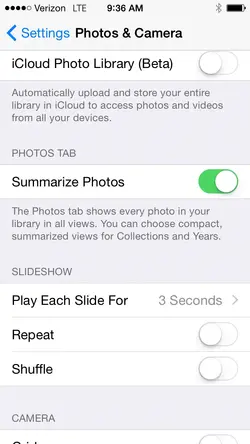
If you enabled iCloud Photo Library (Beta), Photo Sharing disappears. To get sharing back, disable Photo Library (Beta).
You're welcome.
If you need Photo Sharing again, you know where to find it.![]()
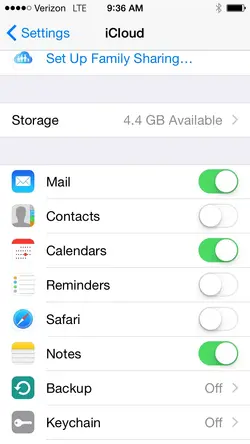
I guess I didn't explain when I said I had enabled iCloud Photo Library (Beta) for a short period and then disabled it. I did again last night but I still can't find iCloud Photo Sharing anywhere in Settings so I can't enable it. I also don't have the Photo option under iCloud.You're welcome.
If you need Photo Sharing again, you know where to find it.![]()
See screenshots; I don't have the photo option in iCloud and I don't have the iCloud Photo Sharing in Camera & Photos.You should find the same settings in Photos & Camera, if you can't find them in iCloud.
You can't use PhotoStream either.
Try resetting your iPhone. This might remove some glitches, but it won't delete data or change settings.
To reset, press and hold Home and Power button at the same time until you see the Apple logo. Let go of both. Your device will power up on it's own.
If Photos doesn't reappear, go to Settings - General - Reset and select "Reset all Settings". All your settings will be reverted to default, so you'll have to look at the Settings app and enable/disable everything the way you prefer it.
Another possibility would be to sign out of your iCloud account and then sign in again. Hopefully this will bring back Photos in iCloud.
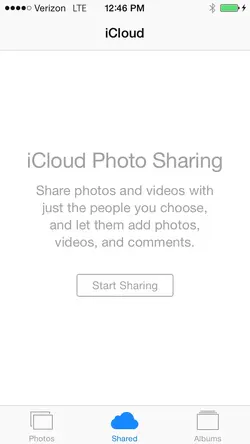
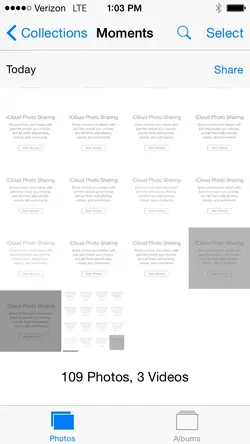
Here is something interesting - I went to set the backgroung photo after the phone was reset; I'm able to see the photos that I shared and those that were share with me by someone else, but I cannot see them with the photo App as the icon is not there.I do appreciate all your help; did the reset all, log off log in and still no go.
Strange, not sure where else to go with this.
Thanks again
Just did a backup, looks like I'll be doing a factoty reset and restore from backup.Here is something interesting - I went to set the backgroung photo after the phone was reset; I'm able to see the photos that I shared and those that were share with me by someone else, but I cannot see them with the photo App as the icon is not there.
You shouldn't have to drag anything manually back to your iPhone after the restore through iTunes, that's what the backup is for. After the restore you'll be asked if you want to set up your iPhone as a new phone or from the backup you made. Choose the backup and everything that was on your phone when you made the backup will be put back on your iPhone.Just did a backup, looks like I'll be doing a factoty reset and restore from backup.
From a fresh factory reset before restore, should I see the Photo option in iCloud and the iCloud Photo Sharing in Photos & Camera? Looks like I'll have to drag my apps back manually in iTunes, and transfer any photo that I want bacck on the phone. Any gotch to look for?